
Microsoft SharePoint Explained for UK Teams
Need help with Professional support with Microsoft SharePoint?
In the modern London office—whether it’s a high-rise in the City or a hybrid team spread across the Home Counties—the “File Server” is becoming a relic of the past. As UK businesses lean further into flexible work, Microsoft SharePoint has evolved from a simple storage bin into the central nervous system of the digital workplace.
But what exactly is it, and why does your team need it to stay competitive?
What is SharePoint? (The Simple Explanation)
At its core, SharePoint is a cloud-based platform that integrates with Microsoft 365 to help businesses share and manage content, knowledge, and applications. Think of it as a secure, private website for your company where your team can collaborate on documents in real-time, regardless of their postcode.
Why UK SMEs are Choosing SharePoint Over Traditional Servers
1. Seamless Hybrid Work
With the UK’s shift towards hybrid models, accessing the “Office Z-Drive” via a clunky VPN is no longer viable. SharePoint allows your staff in Birmingham, Bristol, or Belfast to collaborate on the same Excel sheet simultaneously without “File is Locked for Editing” errors.
2. UK GDPR & Data Sovereignty
For UK businesses, where your data lives matters. SharePoint allows administrators to set “Data Residency” options, ensuring your sensitive client information stays within UK data centres, meeting strict UK GDPR requirements.
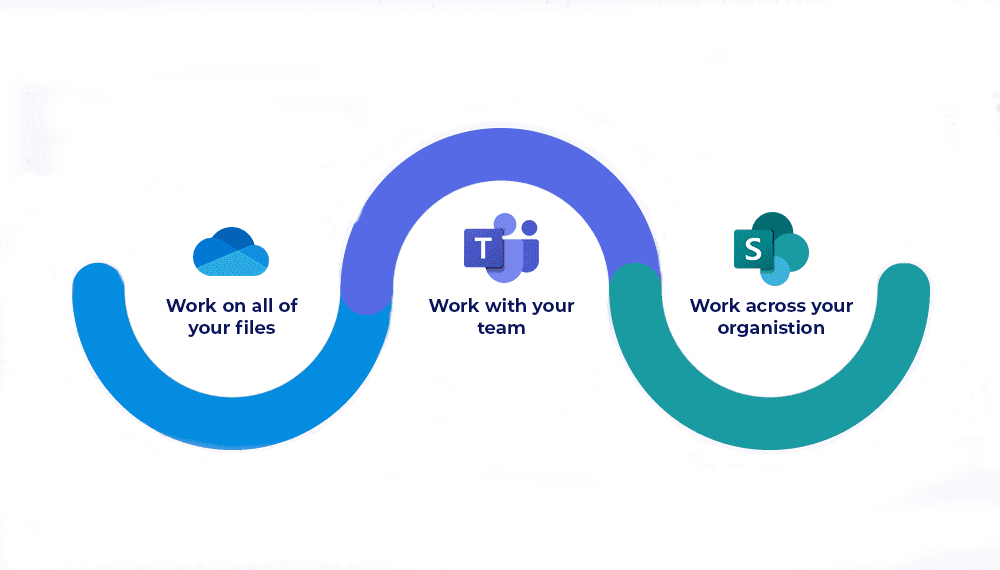
3. Integration with Microsoft Teams
The “SharePoint vs. Teams” debate is a myth—they are better together. SharePoint acts as the robust filing cabinet behind the scenes, while Teams provides the front-end conversation.
The SharePoint Capability Checklist: 4 Pillars for Success
To get the most out of your investment, SI ICT recommends focusing on these four functional areas:
A. Document Management & Version Control
Never lose a “Final_Version_v2_UPDATED.docx” again. SharePoint automatically tracks every change made to a document, allowing you to restore previous versions with a single click.
B. Intelligent Intranets (Communication Sites)
Move beyond the dusty staff handbook. Create an engaging internal news hub for company announcements, holiday requests, and UK HR policies.
C. Automated Workflows (Power Automate)
Tired of chasing managers for invoice approvals? SharePoint can trigger automatic email notifications and approval buttons, shaving hours off your weekly admin.
D. Enterprise-Grade Security
Protect your intellectual property with Multi-Factor Authentication (MFA), conditional access, and sensitivity labels that prevent documents from being shared outside the organization.
How to Avoid the “SharePoint Mess”
The biggest mistake UK teams make is treating SharePoint like a “dumping ground” for old files. Without a proper Information Architecture (IA), your search results will be cluttered and unusable.
This is where SI ICT steps in. We don’t just “turn on” SharePoint; we architect it. We build:
-
Custom Site Structures tailored to your department needs.
-
Metadata Tagging so you can find files by “Project” or “Client” rather than just folder names.
-
Migration Strategies that move your data from old servers without downtime.
How UK teams can roll out SharePoint successfully
Simply turning SharePoint on is not enough; success comes from design, change management, and ongoing support.
- Start with a structure that mirrors how you work
Map your departments, core processes, and project types, then design a simple set of hub sites and team sites. Avoid building everything at once; start with a pilot area such as a single department or project portfolio. - Use templates and governance
Standardise your site templates (navigation, libraries, permissions) so every new project or team looks familiar. Agree clear rules on naming, sharing, external access, and site lifecycle (how sites are created, reviewed, and archived). - Train people in real workflows, not generic features
Show staff how to perform the exact tasks they do today (e.g. “how to submit this form”, “where to find the latest template”), not just menus and buttons. Short, scenario‑based training sessions work better than long feature tours. - Integrate with Microsoft Teams and Outlook
Pin key SharePoint libraries as tabs in Teams, and share links instead of attachments in Outlook. This reinforces good habits: “share a link from SharePoint” becomes the default. - Monitor adoption and improve
Use available usage analytics to see which sites and libraries are popular or under‑used, then adjust navigation and training accordingly. A partner such as SI ICT can review this data with you and refine the information architecture over time.
Conclusion: Empower Your Team with SI ICT
Microsoft SharePoint is more than just a folder in the cloud; it’s a platform for growth. By centralising your knowledge, you empower your UK team to work faster, smarter, and more securely.
Book a SharePoint Strategy Session with SI ICT →
Get support for Microsoft SharePoint for your teams.
Book your introductory strategy session with an SI ICT consultant today to gain clarity and direction
Book a Free Strategy Session Consultation with SI ICT