Why data backup solutions matter for SMEs
Need help with Professional support with Data Backup Solutions for your SME?
For most SMEs, data is now the business: accounts, CRM, proposals, IP, emails and operational systems all sit on devices and in the cloud. A single ransomware attack, failed disk or accidental deletion can instantly stall sales, operations and cashflow.
Robust data backup solutions are your safety net. Instead of hoping nothing goes wrong, you design a way back: copies of your data in different places, on different media, with different recovery options and clear responsibilities between you and your IT partner. A provider like SI ICT typically wraps backup into wider IT and security services so that protection, monitoring and recovery are handled as part of day‑to‑day operations.
For a modern UK Small-to-Medium Enterprise (SME), data is the most valuable asset on the balance sheet. Yet, many businesses are one hardware failure or one ransomware click away from total data loss.
If you’ve been searching for a NAS drive or considering “The Cloud,” you’ve likely realized the market is flooded with options. This guide compares the most popular backup architectures to help you choose the right “Safety Net” for your business.
1. The NAS Drive: Your Local Data Fortress
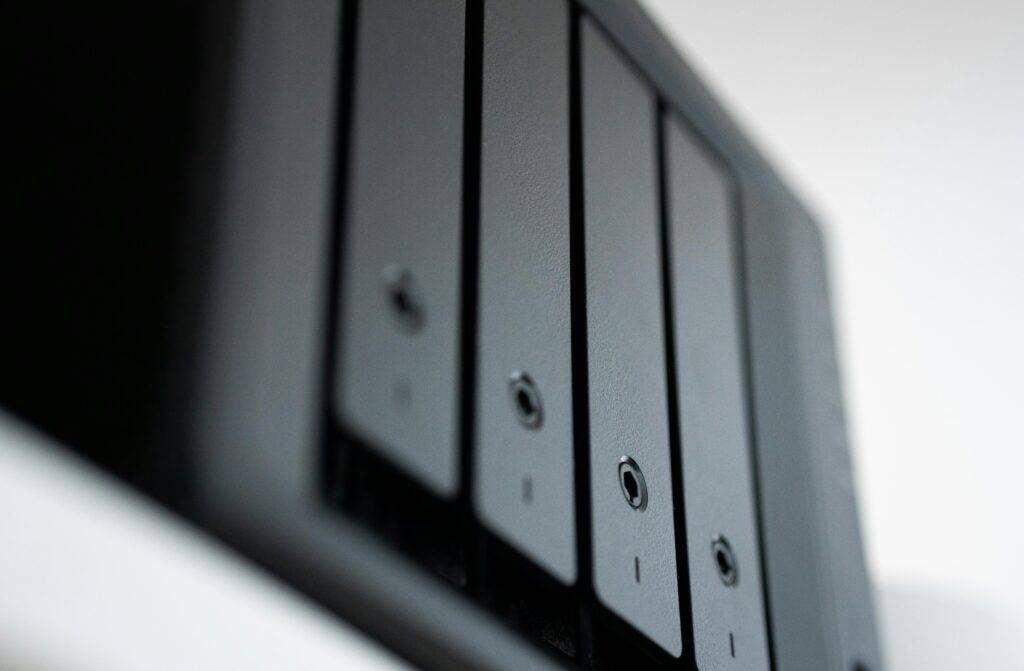
A NAS (Network Attached Storage) drive is a dedicated hard drive server connected to your network. It allows multiple users to store and share data in a central location.
-
Best For: Creative agencies or firms handling massive video/CAD files that require high-speed local access.
-
The Pros: One-time hardware cost, high speed, and total physical control.
-
The Cons: Susceptible to fire, theft, or hardware failure. If your office floods, your backup disappears with your original data.
2. Cloud Backup (SaaS): The “Set and Forget” Solution
Services like Microsoft Azure Backup or specialized business cloud vaults store your data in encrypted, off-site data centres.
-
Best For: Hybrid teams and businesses prioritizing security over local transfer speeds.
-
The Pros: Infinite scalability, protection against local physical disasters, and version history.
-
The Cons: Monthly subscription costs and dependence on your internet upload speed.
3. The Hybrid Model: The “Gold Standard”
The most resilient SMEs use a hybrid approach: Local NAS + Cloud Replication. This provides the speed of local hardware with the “Indestructibility” of the cloud.
Core backup concepts every SME should know
Before comparing solutions, it helps to understand a few foundational ideas that drive good backup design.
-
RPO (Recovery Point Objective)
How much data you can afford to lose, measured as time between backups (e.g. 4 hours, 24 hours). Lower RPO means more frequent backups. -
RTO (Recovery Time Objective)
How long you can afford systems to be down while you restore (e.g. 1 hour, 1 day). Lower RTO usually requires faster storage or standby systems. -
3‑2‑1 backup rule
A widely used rule of thumb: keep at least 3 copies of your data, on 2 different types of media, with 1 copy offsite or in the cloud. -
Immutable and versioned backups
Backups that cannot be altered for a defined period and that keep previous versions of files. This is critical against ransomware and silent corruption.
With these in mind, you can see where NAS drives, cloud backup and hybrid approaches fit – and where each one leaves gaps.
NAS drive backup: pros, cons and best use cases
A NAS (Network Attached Storage) drive is a small file server that sits on your network, used as a central storage or backup target. For many SMEs, the first step away from ad‑hoc external hard drives is “we bought a NAS drive for backups”.
Pros of a NAS drive for SMEs
-
Simple and relatively affordable
A NAS drive is a one‑off hardware purchase plus drives, often cheaper than enterprise systems and easy to deploy in a small office. -
Fast local restores
Restoring large files or entire machines from a NAS on the same LAN is much faster than pulling everything down from the internet. This helps when you need to be up and running quickly after a failure. -
Centralised storage
Multiple servers, PCs and laptops can back up to the same device, making backups easier to manage than scattered USB drives.
Cons and risks of relying only on a NAS drive
-
Still on‑site
If your office suffers fire, flood, theft or a major power event, both your live systems and NAS may be lost. That breaks the 3‑2‑1 rule – you have extra copies, but not offsite. -
Vulnerable to ransomware and compromise
If the NAS is on the same network and accessible via common protocols, ransomware can encrypt its contents too. Without immutability or offline copies, your backups can be destroyed along with production data. -
Limited scalability and management
As your data grows, you may outgrow the NAS’s capacity or performance. Managing multiple NAS devices across locations quickly becomes hard work without central tools.
Where NAS shines is as the local part of a broader backup solution: fast on‑site restores, combined with offsite or cloud copies for true resilience.
Direct Comparison: NAS vs. Cloud vs. Hybrid
| Feature | NAS Drive (Local) | Cloud Backup | Hybrid (SI-ICT Recommended) |
| Recovery Speed | Instant | Depends on Internet | Instant (Local) / Reliable (Cloud) |
| Ransomware Protection | Vulnerable if connected | High (Version History) | Extreme (Immutable Air-Gap) |
| Physical Risk | High (Fire/Theft) | Zero | Zero |
| Cost Structure | High Upfront (CapEx) | Monthly (OpEx) | Balanced |
The 3-2-1 Rule: The Only Backup Strategy That Matters
Regardless of the technology you choose, every London SME should follow the 3-2-1 Backup Strategy. If your current “IT guy” isn’t doing this, your data is at risk.
-
3 Copies of Data: The original and two backups.
-
2 Different Media: e.g., A NAS drive and a cloud server.
-
1 Off-site Location: Ensuring a fire at HQ doesn’t end the business.
Why “Consumer-Grade” NAS Isn’t Enough for Business
Many SMEs buy a retail NAS drive from a high-street shop. However, business-grade backup requires features that consumer drives lack:
-
RAID Configuration: Spreading data across multiple disks so if one fails, no data is lost.
-
Immutable Backups: Ensuring that even if a hacker gains admin access, they cannot delete the backups.
-
Proactive Monitoring: SI ICT monitors your backup health 24/7. We know a drive is failing before you do.
Cloud backup solutions for SMEs
Cloud backup means your data is copied to a service provider’s data centres over the internet, often automatically and continuously. This is different from just storing files in cloud apps: proper backup keeps separate, versioned copies that you control.
Advantages of cloud backup
-
Offsite by design
Because data lives in geographically separate data centres, local disasters at your office do not take out your backups. This is essential for serious disaster recovery. -
Scalability and flexibility
You can easily scale storage up or down as your data grows, paying only for what you use rather than guessing NAS sizes in advance. -
Centralised management and reporting
Good cloud backup platforms provide dashboards, alerts and reports so your IT team or provider can confirm backups are running and fix issues quickly. -
Built‑in security features
Encryption in transit and at rest, role‑based access and options for immutable backup sets are now common, significantly strengthening your overall security posture.
Limitations and considerations
-
Restore speed for large datasets
Restoring terabytes of data over the internet can take time. Some providers offer “seed” and “bulk restore” options (ship a disk), but you must plan for worst‑case RTO. -
Ongoing subscription costs
Cloud backup is OPEX rather than CAPEX. Over time, this can exceed the cost of a simple NAS – but you are also buying resilience, security and management features. -
Dependency on internet connectivity
Slow or unreliable connections can impact backup windows and restore times. For many SMEs on modern connections this is manageable, but it needs checking.
For SMEs increasingly running Microsoft 365, Azure, Google Workspace, Google Cloud, Amazon Web Services or other cloud services, it is also important to remember that sync is not backup. One of the most common gaps is the lack of a third‑party backup for SaaS platforms; many cyber security and IT providers offer cloud‑to‑cloud backup for Microsoft 365, Google Workspace and other services.
Hybrid backup: combining NAS drives and cloud
For most SMEs, the sweet spot is a hybrid approach: local backups to a NAS drive for speed, replicated or tiered to cloud backup for resilience. This is also how many managed backup services work behind the scenes.
-
Fast, local recovery for common incidents
Everyday problems – a failed PC, accidentally deleted folder, or small ransomware outbreak – can often be fixed quickly from the NAS copy. Staff get back to work in hours, not days. -
Offsite copies for disaster recovery
If the worst happens to your site or NAS, you still have cloud copies to rebuild from. This may take longer, but you still have a path back – critical for business continuity. -
Flexibility over time
As your data footprint grows or your RPO/RTO needs tighten, you can upgrade either the local hardware, the cloud tier, or both.
A partner such as SI ICT typically designs and monitors this hybrid pattern for SMEs: choosing appropriate NAS hardware, configuring backup software, securing access, and setting up cloud replication and regular test restores.
Conclusion: Don’t Leave Your Data to Chance
A NAS drive is a fantastic tool, but it is a piece of hardware—and all hardware eventually fails. At SI ICT, we design bespoke data resilience plans that ensure your business can be back online in minutes, not weeks.
Is your backup actually working? Book a Data Resilience Audit with SI ICT →
Get support for your Data Backup Solutions.
Book your introductory strategy session with an SI ICT consultant today to gain clarity and direction
Book a Free Strategy Session Consultation with SI ICT